"Should my child start with Scratch or Python?" Parents ask us this a lot.
The short answer
It comes down to age, and how confident your child is with reading and writing.
For most younger children, start with Scratch. Lots of them start there and move on to Python later. Past 11, Scratch can feel a bit kiddy, and Python can be an excellent "grown-up" feeling programming language instead. Younger children who read and write well can take to Python too. If your child has already done Scratch at school, they're often ready for Python.
Scratch
In Scratch you build programs by snapping blocks together. Blocks only snap together where they fit, so there are no spelling mistakes to stop the program. Kids see something happen straight away, and that can keep them at it.
Our favourite bit: four blocks (repeat, move, next costume and wait) make a character walk across the screen.
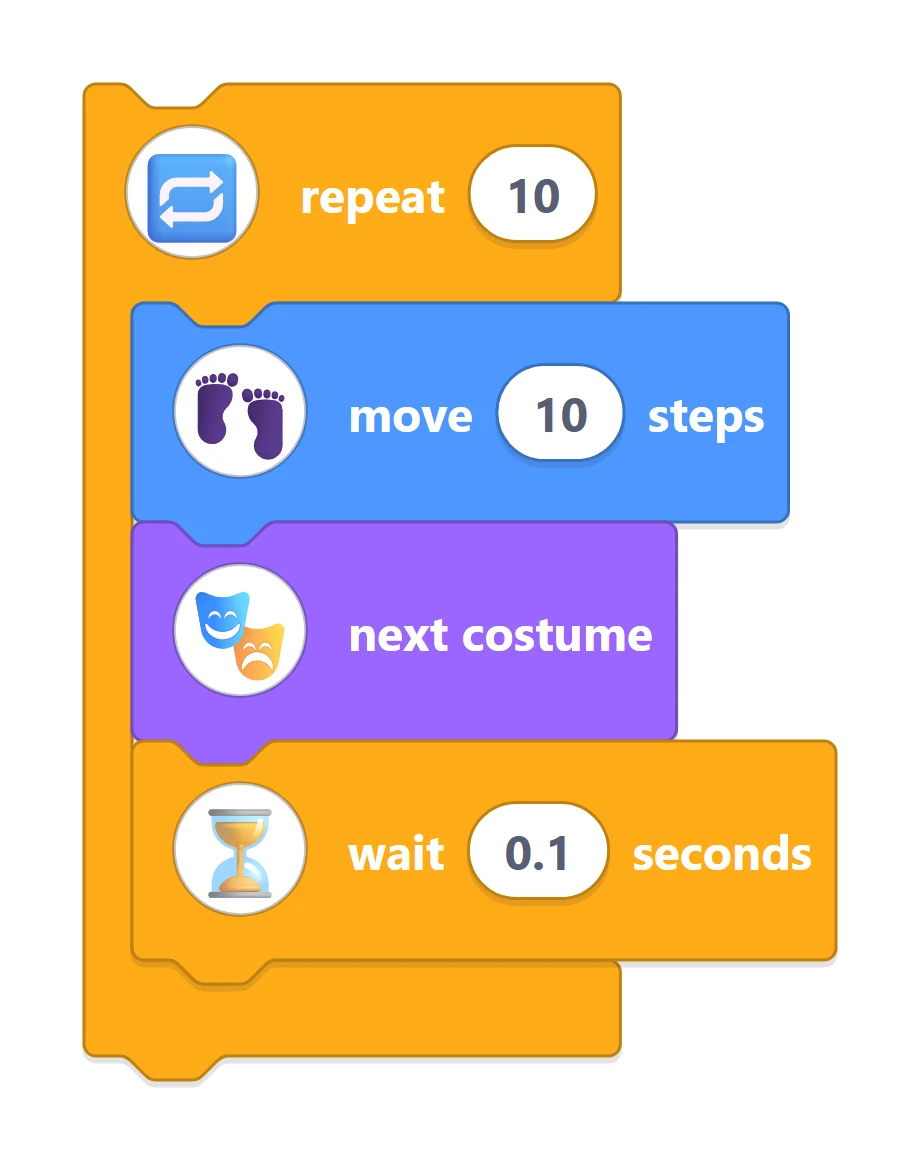
Four blocks: repeat, move, next costume and wait.
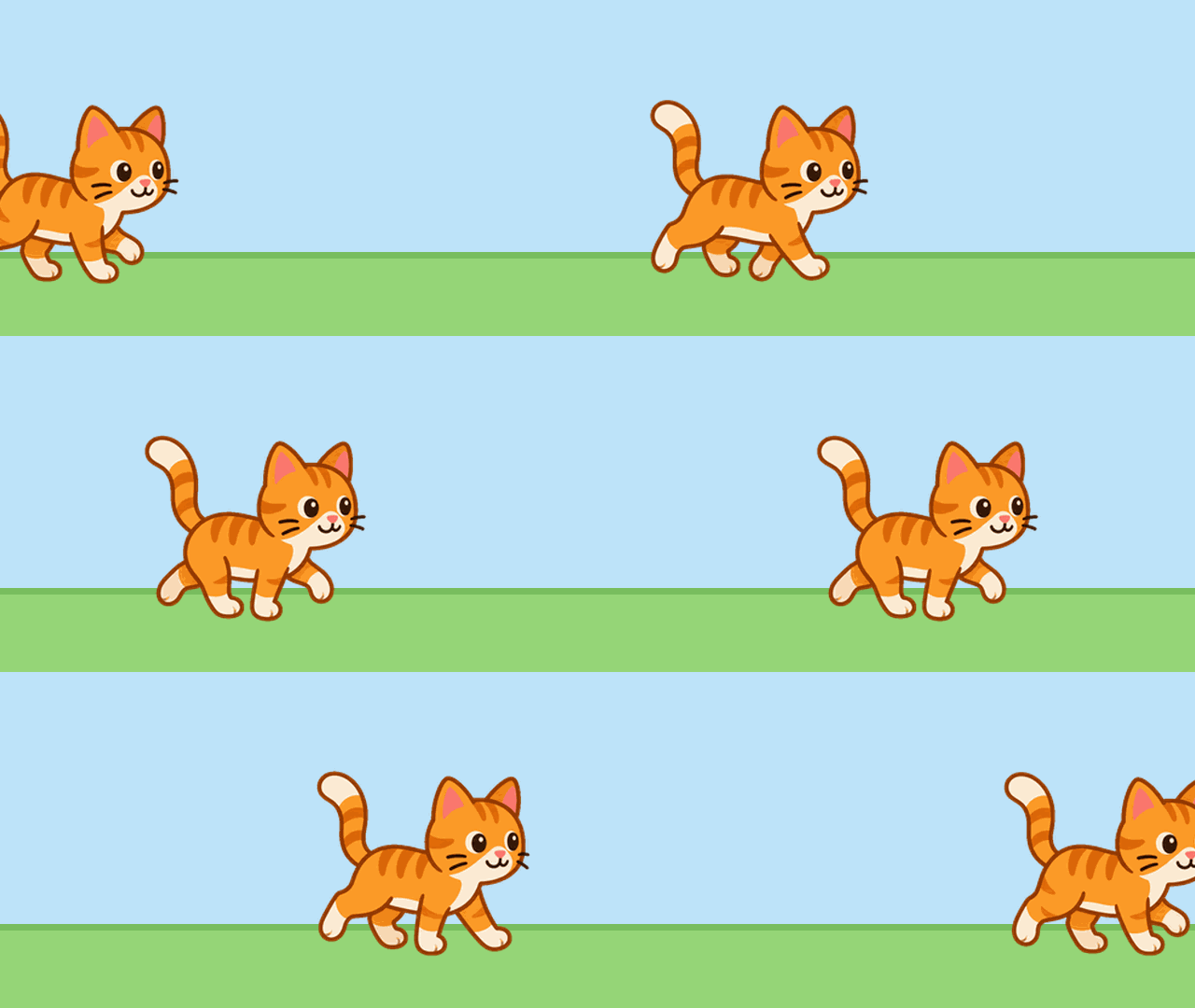
The same four blocks, running.
Even Harvard's CS50, a university introduction to computer science, begins with Scratch in week 0, before it moves on to C and, later, Python.
Making the cat walk is already using a loop, and they'll use loops again in Python.
Python
In Python you type the instructions yourself, and they have to be spelled and laid out exactly. The rules for that are called syntax. A missing bracket is enough to stop a program, and every coder, professionals included, hits this all the time.
It's fiddlier than Scratch, so we go in small steps. We set things up so they never start from a blank screen, and they type the important lines themselves. There's typing practice and key-finding in lessons too, to help them get comfortable on the keyboard. Each lesson ends with a project they've built.
Our Python lessons give visual results too. In one lesson, a for loop draws a spiral tunnel from just a few lines of code.
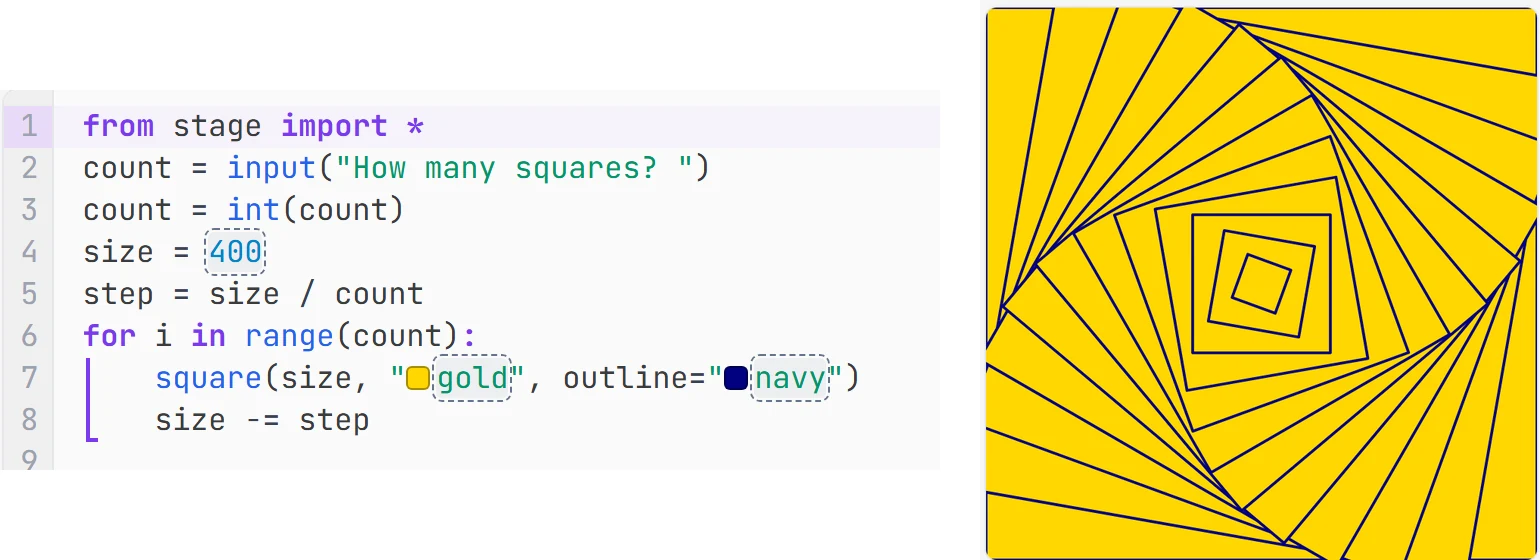
A for loop, and the picture it draws.
Press Run and a picture you made appears. Kids get the same buzz from that as they do in Scratch.
Not sure which to pick?
If you're not sure, book a free taster. It's a small online group, and we'll see what suits your child.
